 Workletto
Time tracking
you own.
Track hours by person and project, compare them with each project's budget, and invoice your clients. Made for small agencies, studios and consultancies. Free and open source, with unlimited users: install it on your own hosting account in about 5 minutes.
- Free and open source (MIT license)
- Runs on the host you choose
Free to use
No price, no subscription and no license key. The full app and its source code, under the MIT license.
Unlimited users
Add everyone you work with. Users, clients and projects are unlimited, with no fee per person.
Own your software
Your copy runs in your own hosting account, with your data in your own database. You can read and change every line.
What’s in it
Track time, manage projects, send invoices.
The Features page lists everything that works today, with links to the Help Center.
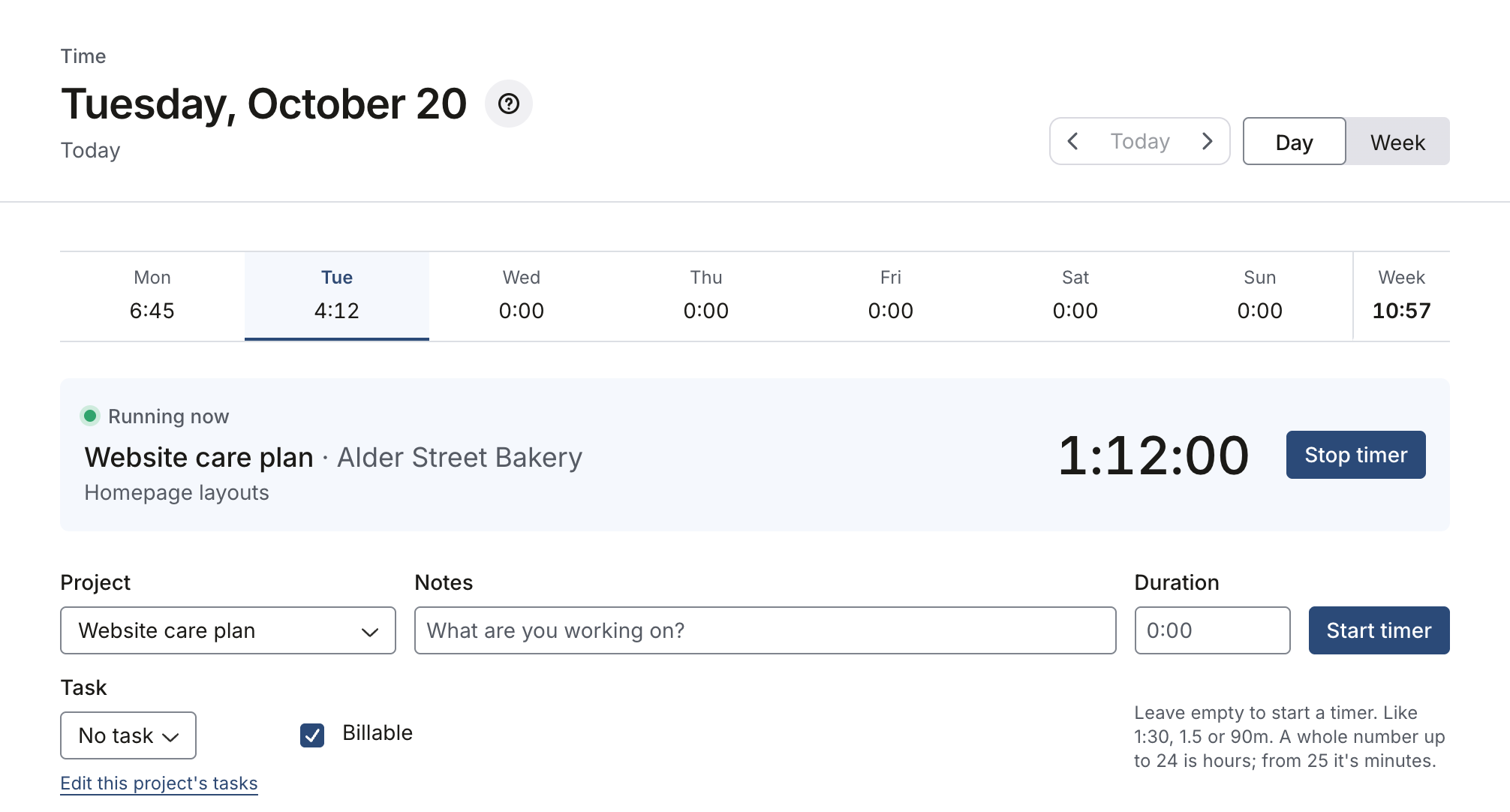
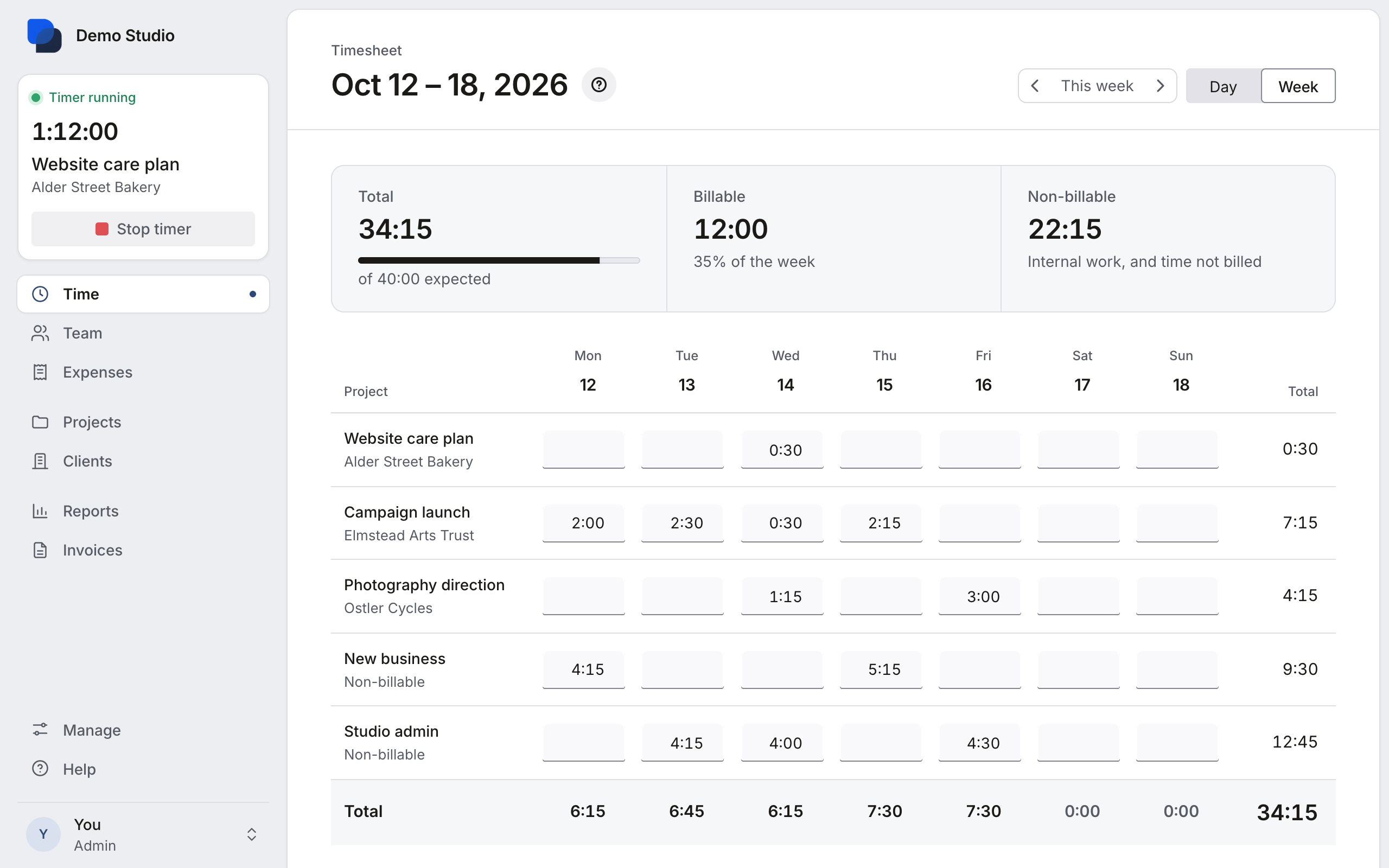
Track time
Start a timer, or add hours by hand on the Time screen or the weekly timesheet.
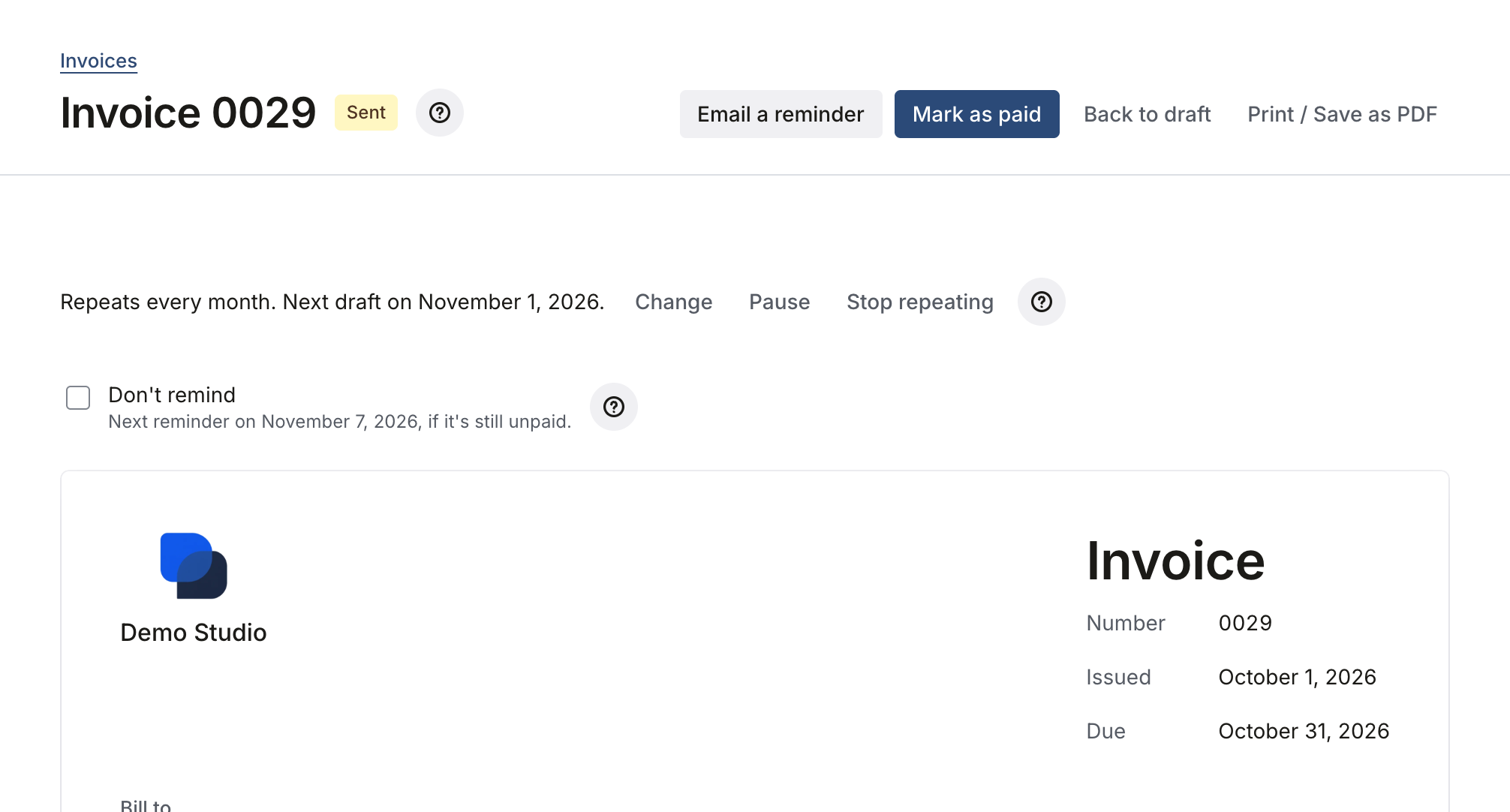
Send invoices
Turn billable hours and expenses into an invoice, email it, and let clients pay online through your own Stripe account.
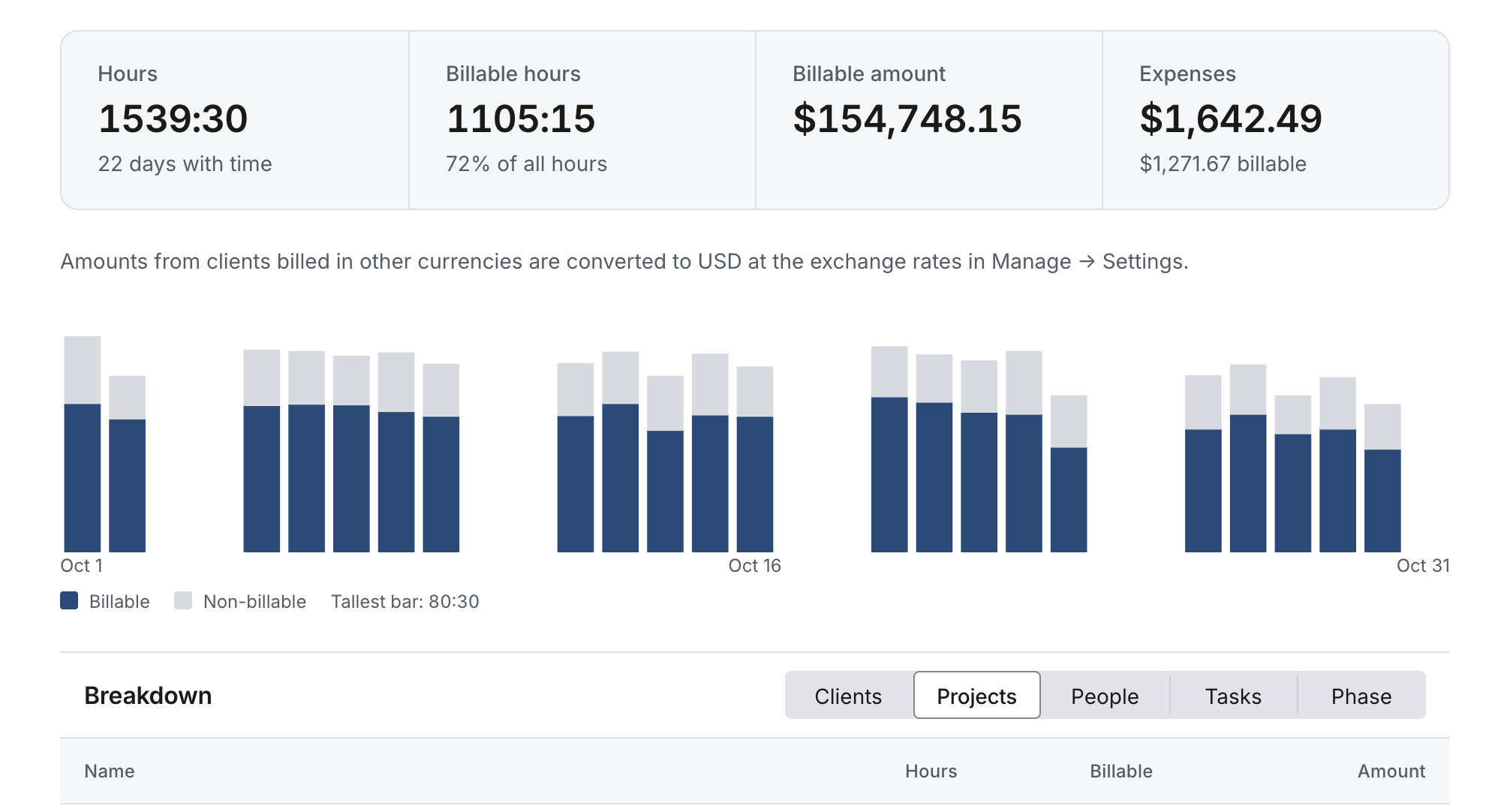
Run reports
Hours, billable amounts and profitability by client, project or person, for any period.
How it works
Install it in three steps, in about 5 minutes.
Use any host you like. Workletto comes set up for Render, where one Deploy button creates the app and its database together. Another host needs to run the app’s Docker container and a Postgres 17 database for your data; most hosts offer one next to your app. Install on another host has the steps.
Step 1: Get your copy
Open Workletto on GitHub and click Use this template. You get your own private copy of the code.
Step 2: Deploy
Click Deploy on Render, or follow the install guide for another host.
Step 3: Open your app
Create your admin account and invite your team.
Security
How can I trust Workletto?
The app runs in your own hosting account, and the full source code is in your own copy on GitHub.
It runs in your account
Your time, clients and invoices are stored in your own hosting account and database. We have no access to them.
It doesn’t contact us
No tracking, no analytics and no license checks. The app never sends us anything.
You can read every line
The full source code is in your own private repository, for you, a developer or an AI assistant to check.
It keeps running without us
There’s no license key, no account with us and no end date. Your copy runs for as long as your hosting account does.
Workletto
Free
Open source, MIT license. Hosting is separate.
- The full app, ready to install
- The full source code, MIT license
- Unlimited users, clients and projects
- No support desk: you run your copy
Hosting is paid to the host you choose. On Render, the quickest install, it’s about $14.50a month. If you want to say thank you, support the work.